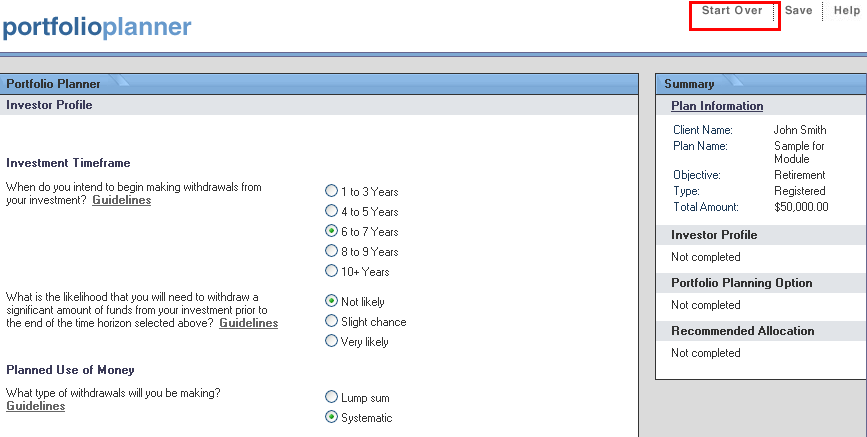
The "Start Over" link clears all the input fields and returns you to the "Plan Information" screen to start a new portfolio plan. It is located in the Header of most of the Portfolio Planner screens.
Information entered in the Portfolio Planner is used for two purposes:
Provide the tool with the information it requires
to recommend a portfolio
Provide information required to customize an Investment Recommendation Report.
The entered information can be saved in an electronic format so it can be accessed in the future.
When you first access a Portfolio
Planner screen, determine where the cursor is located. The
location will be indicated by a blinking cursor if the field is empty
or the text will be highlighted if the field is already completed. If
the cursor does not appear, use the mouse to click in the first field.
You can use the Tab key and/or
the mouse to move from field to field. The
Enter key cannot be used to move between fields or to the next screen.
The data fields are colour coded with a background colour:
White indicates the field is read-only. These fields are calculated automatically and you cannot enter information directly into the box.
Green indicates the field is required and you cannot continue without filling in the box.
Blue-Gray indicates the field allows input but is optional. You can continue without completing blue boxes.
You can enter decimals in numerical fields if required. If no decimals are entered it will be assumed that the decimal value is zero.
Fields with numbers are formatted to display commas and decimals. You do not have to enter the commas, they will be added automatically when you leave the field.
The "Start Over" link clears all the input fields and returns you to the "Plan Information" screen to start a new portfolio plan. It is located in the Header of most of the Portfolio Planner screens.
About the Portfolio Planner Screens
Navigating Within the Portfolio Planner