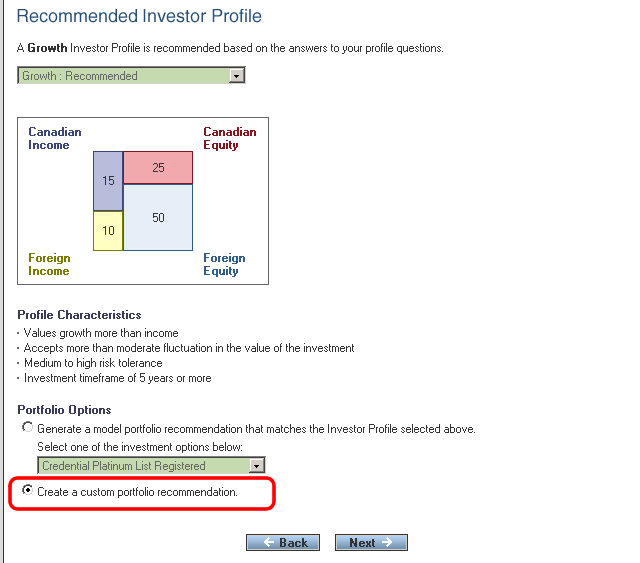
The "Create a Custom Portfolio Recommendation" option can be selected from "Select Portfolio Planning Option" screen. When the screen opens an Investor Profile is displayed that is the closest match to the recommended basic portfolio structure.
Other profiles can be selected and discussed as options with the investor if desired. However, if you choose to continue with an Investor Profile other than the one that has been recommended, the portfolio allocation will not match the basic portfolio structure determined by the Investor Profile questions.
The custom portfolio option is used when the portfolio has to be customized to select funds from specific sectors and/or specify the amount of specialty, core, foreign and Canadian content within the portfolio. They are used for clients who have investment needs that cannot be met by a model portfolio.
When the "Create a Custom Portfolio Recommendation" option is selected, click the "Next ->" button to continue to answer the Advanced Investor Profile questions.